Create an event, sell tickets online and see in one screen how many tickets have sold and what the revenue is.
Create an event, share the order page and track sales and revenue live.
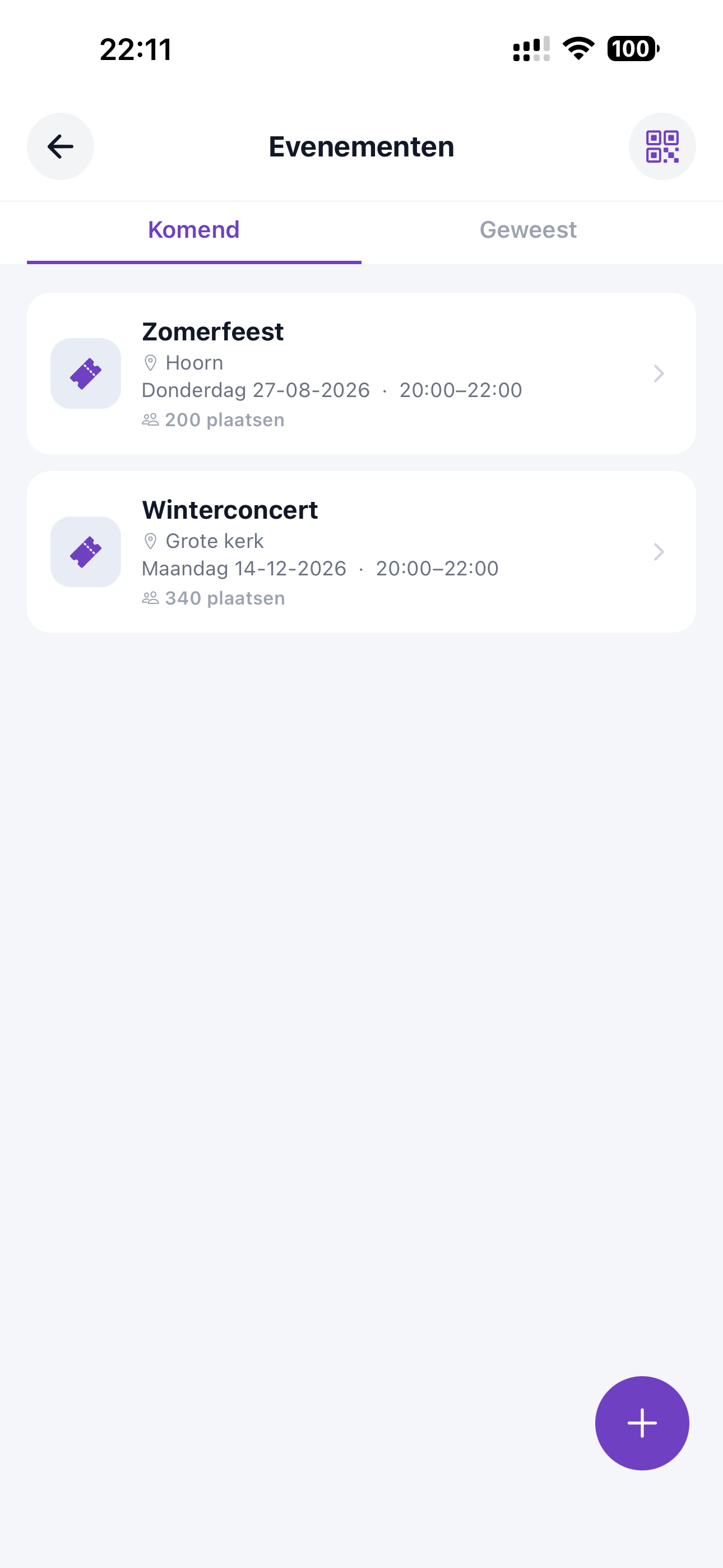
See all your upcoming and past events in a row, with location, date and number of available seats.
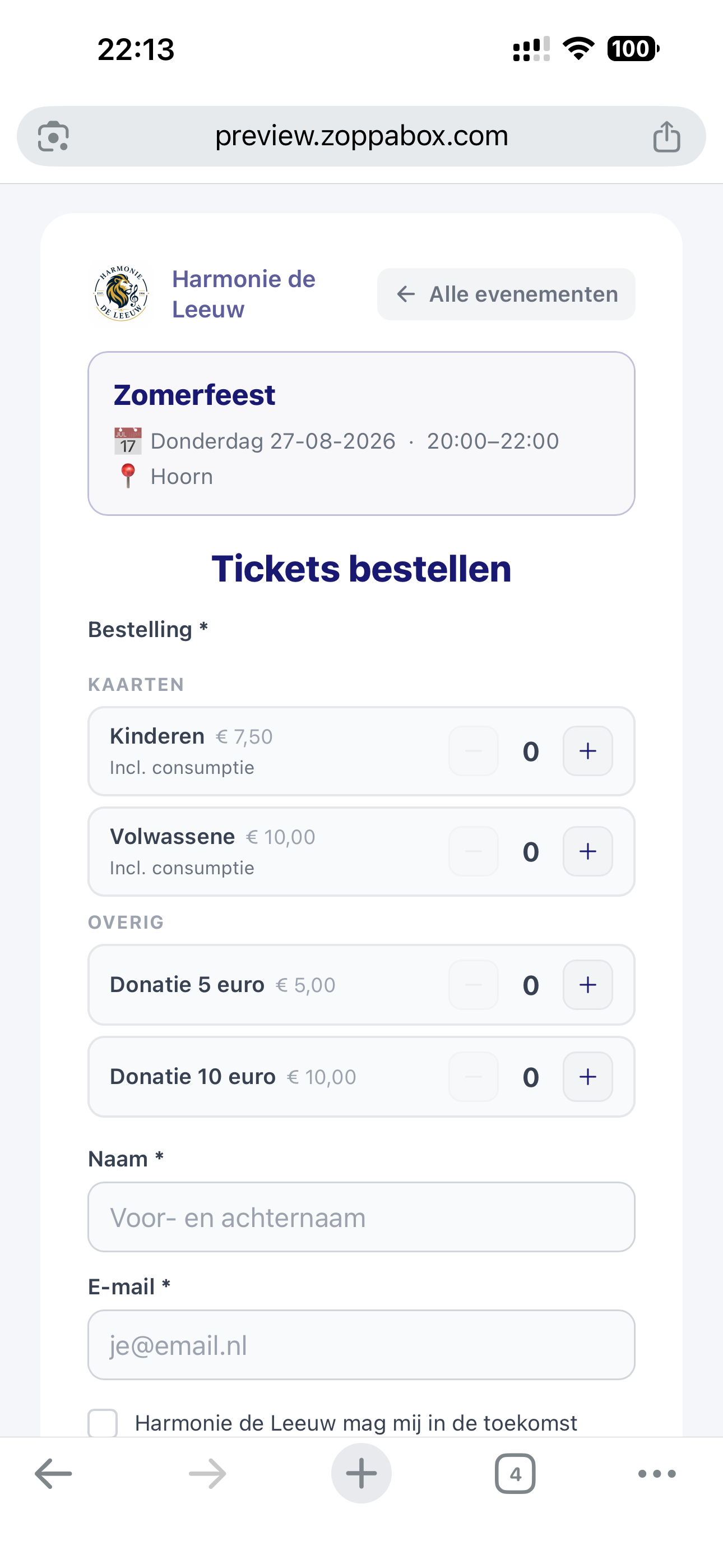
Visitors order tickets via your own, recognisable order page — including options for donations.
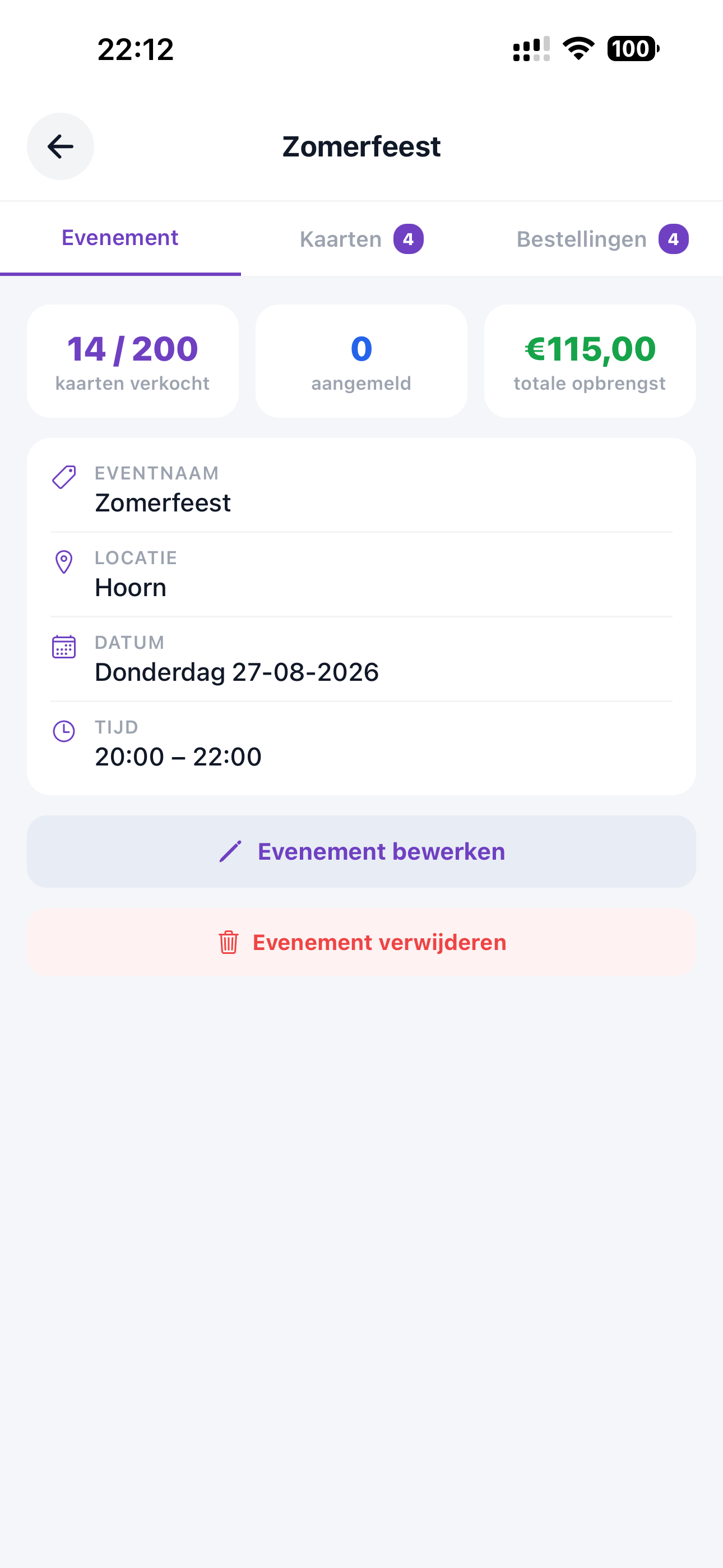
See in one screen how many tickets have sold, who has signed up and what the total revenue is.
From creating an event to settling up at the door — you handle ticket sales in ZoppaBox in one place.
Set up a concert, party or performance in a few clicks, with date, location and the number of available seats.
Share your own order page where visitors can buy tickets directly, with different rates and optional donations.
Each ticket gets a unique QR code, so you can quickly and reliably scan who comes in at the door.
Track in real time how many tickets have sold, how many seats are still free and what the total revenue is.
See per event who has ordered a ticket, with name, email address and quantities ordered.
Change the date, location or available seats afterwards, or delete an event without hassle.
Payments run via Stripe, including iDEAL and credit card. Visitors pay securely online and the revenue is paid out automatically to the association — without you having to process payments yourself.
Less cash and spreadsheets, more overview — for board, organisers and visitors.
No more separate Excel lists or cash slips. One central place for the event, sales and visitors.
See exactly how much an event brings in, without having to add everything up by hand afterwards.
QR codes prevent double entry and make door control at a performance simple.
Change an event and visitors and board immediately see the correct information.
Give visitors the option to make a voluntary donation alongside a ticket.
Manage your events and track sales from your phone, tablet or computer.
Try ZoppaBox free for 3 months. No complicated installation — just get started.
Try it free →