Set up your music groups, sections and instruments neatly, link a fixed rehearsal schedule to them and decide per group what members and group managers may see and do.
From orchestra to student orchestra or street band: manage instruments, sections, schedules and permissions per group from one screen.
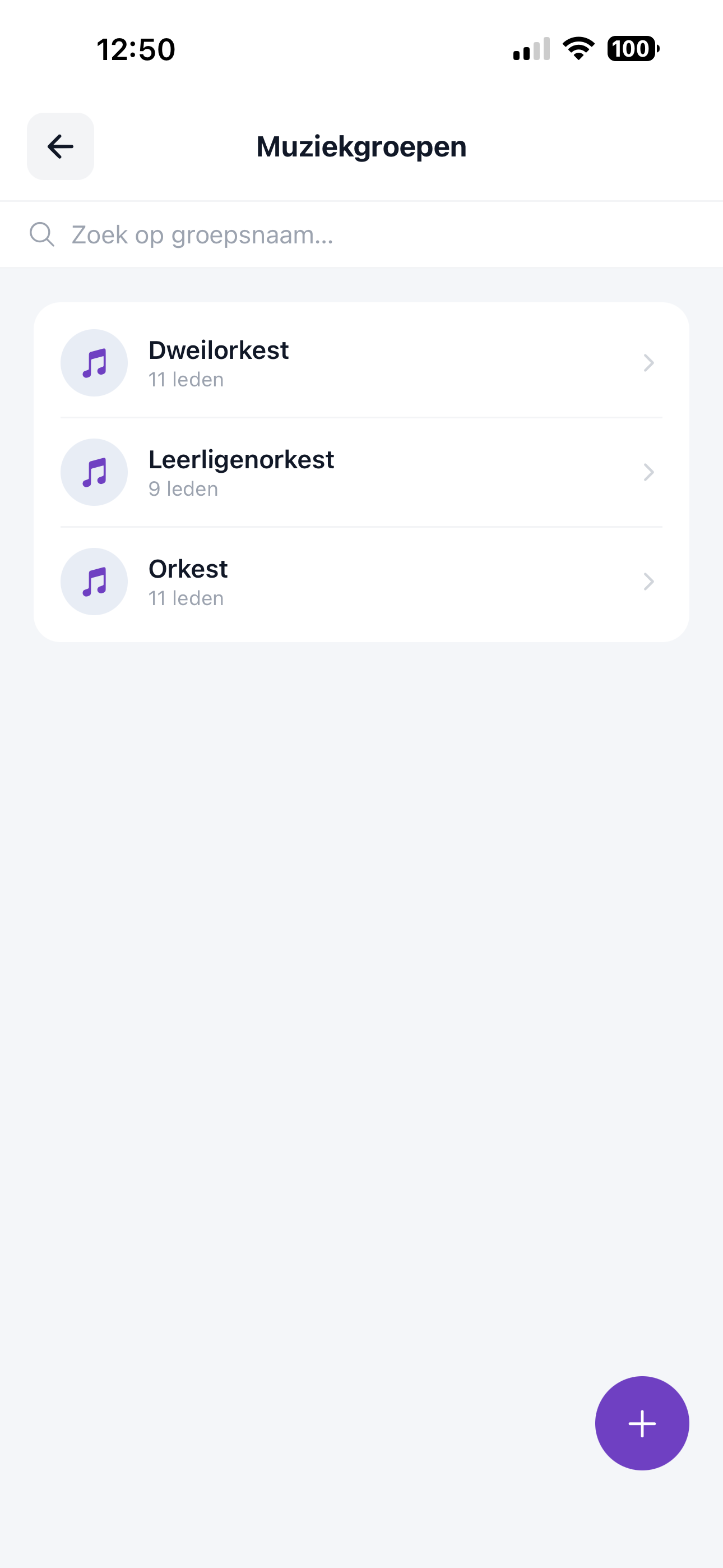
Look up a group and see in one list how many members each orchestra, student orchestra or street band has.
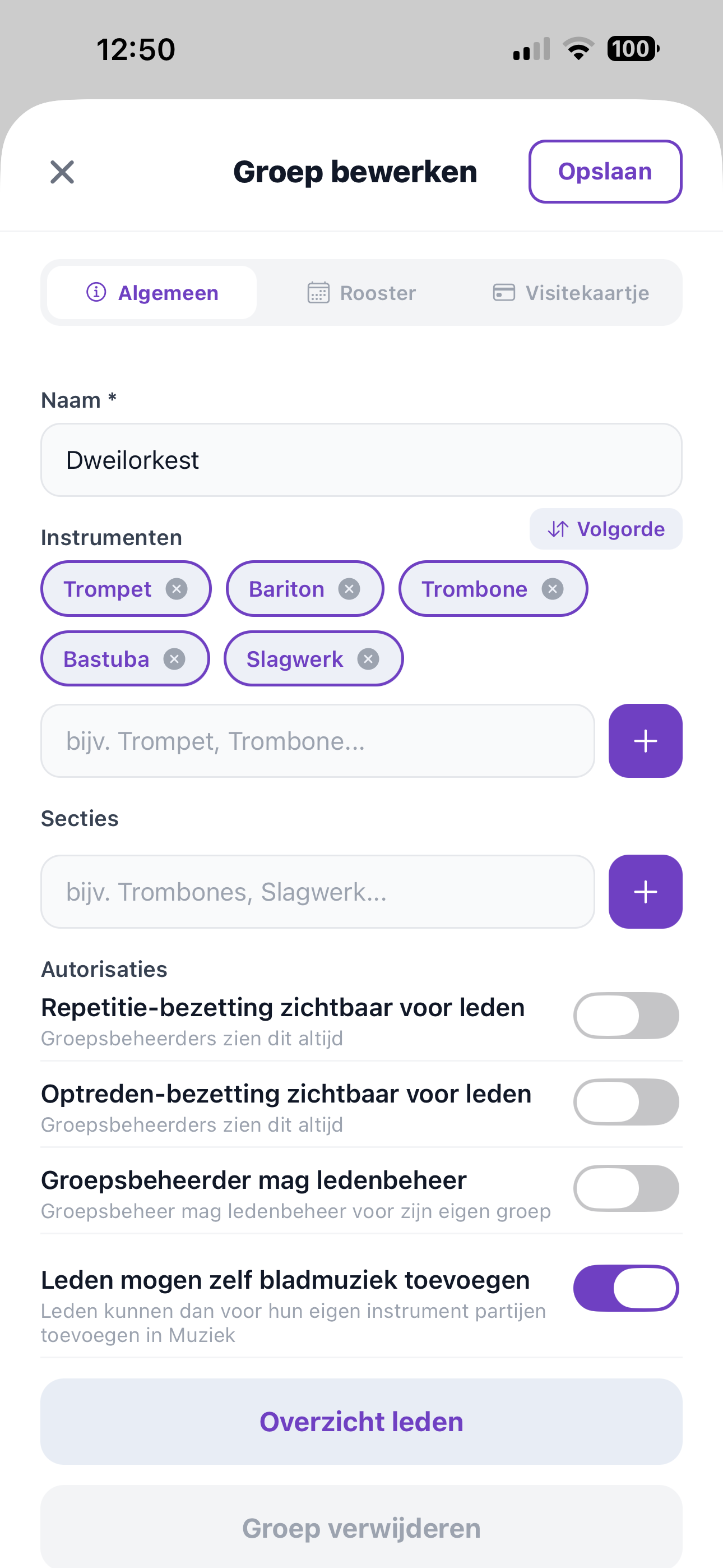
Set the instruments and sections per group and decide which permissions apply to members and group managers.
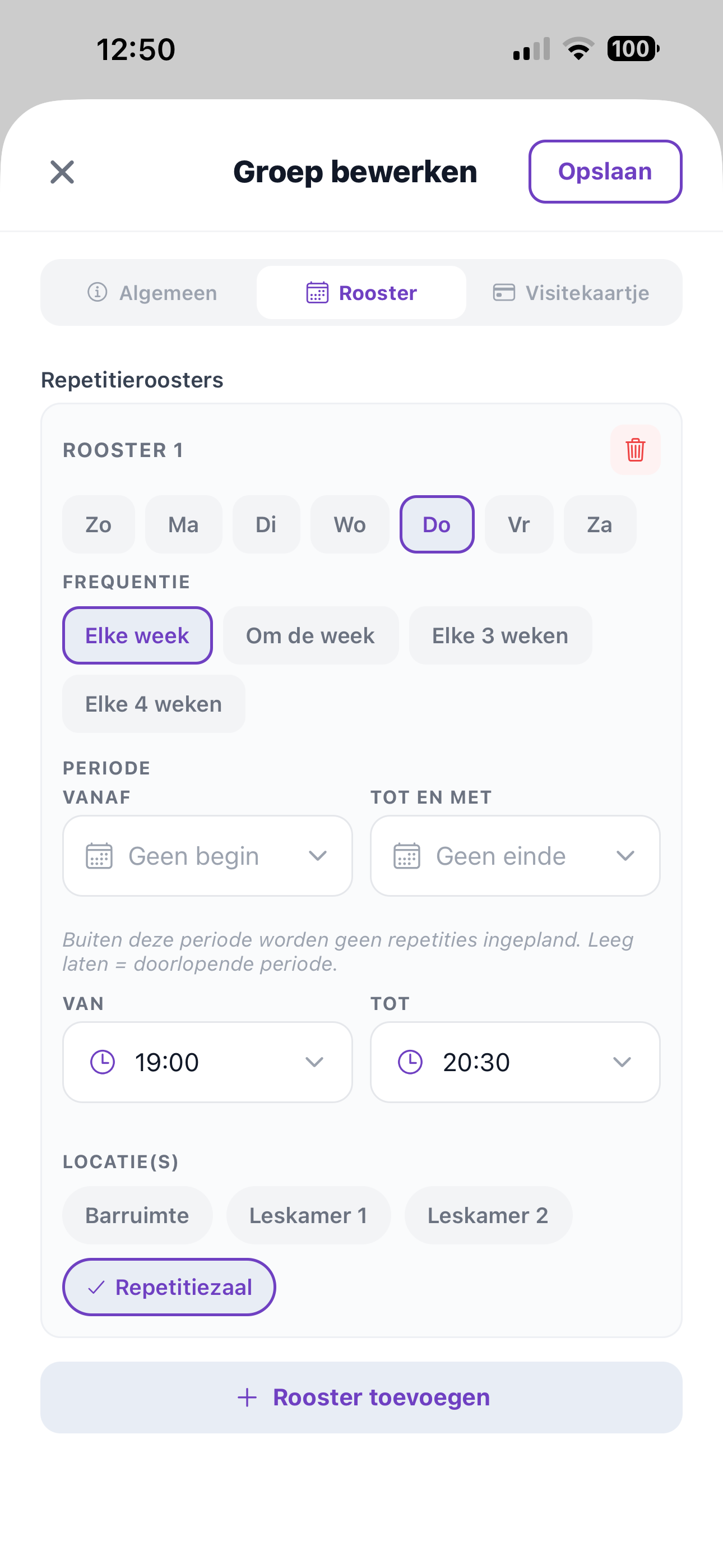
Set the day, frequency, time and location of rehearsals — recurring rehearsals schedule themselves.
From instruments and sections to schedules and permissions — you handle group management in ZoppaBox from one central hub.
Create as many music groups as you need: orchestra, student orchestra, street band or any other line-up in your association.
Link the instruments and sections that belong to each group, such as brass, woodwind or percussion.
Set a recurring schedule per group — day, frequency, time and location — and rehearsals appear automatically in the calendar.
Decide per group whether members may see the rehearsal or performance line-up, and which permissions group managers get.
If you wish, give a group manager the right to handle member management for their own group, without access to the rest.
Set per group whether members may add sheet music for their own instrument themselves.
One clear structure for all orchestras, sections and lesson groups, with the right permissions in the right place.
See in one click how many members are active per orchestra, section or lesson group.
A fixed schedule per group automatically adds recurring rehearsals to the calendar — set once, always up to date.
Delegate member management to a group manager without giving them access to the rest of the association.
Each group can have its own instruments, sections and data visibility.
Change a schedule or permission and it applies to the whole group immediately — no more confusion.
Manage your groups from your phone, tablet or computer — wherever you are.
Try ZoppaBox free for 3 months. No complicated installation — just get started.
Try it free →